Remote eSIM Provisioning: The Complete Guide to Bulk Activation
Managing connectivity for distributed teams, remote employees, or IoT deployments no longer requires shipping physical SIM cards across the country. eSIM technology enables you to provision and activate dozens—or even hundreds—of wireless lines without ever touching a piece of plastic.
This guide walks you through the technical process of remote eSIM provisioning, from generating QR codes to automating activation workflows at scale.
What Is Remote eSIM Provisioning?
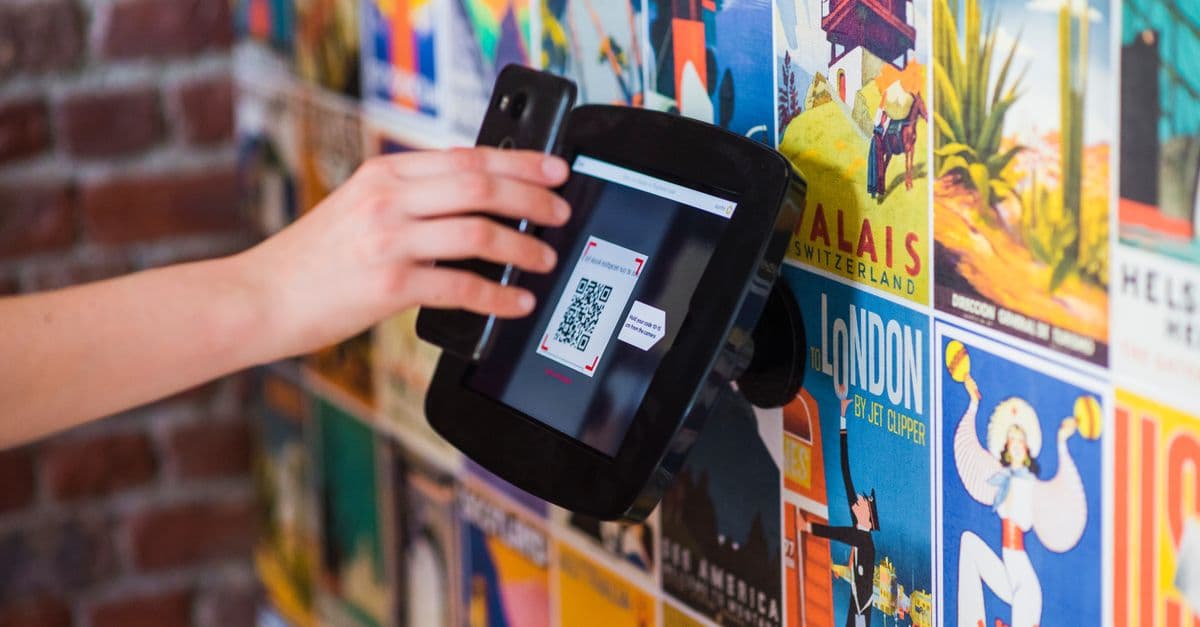
Remote eSIM provisioning allows you to activate cellular service on compatible devices from any location. Instead of inserting a physical SIM card, users scan a QR code or receive activation credentials via email, instantly connecting to the carrier network.
The process works through an embedded SIM (eSIM) chip built into modern smartphones, tablets, and IoT devices. Once you generate activation credentials on the carrier's system, the device downloads the carrier profile over-the-air and registers on the network—no physical logistics required.
Key Advantages for Bulk Deployments
- Zero shipping costs: Eliminate courier fees and delivery delays
- Instant activation: Lines go live within minutes of provisioning
- Remote management: Activate, suspend, or swap profiles from a central dashboard
- Reduced waste: No plastic cards, packaging, or disposal concerns
- Scalability: Provision one line or one thousand with the same workflow
Prerequisites for Bulk eSIM Activation
Before you begin provisioning, ensure you have these elements in place:
Device Compatibility
Not all devices support eSIM technology. Verify that your target hardware includes an embedded SIM chip. Most modern iPhones (XS and newer), Samsung Galaxy devices (S20 and newer), Google Pixel phones (3 and newer), and dedicated IoT modules support eSIM provisioning.
Carrier Network Access
You need an active account with a carrier that offers eSIM services on their network. Nexitel Blue plans run on the AT&T network and support eSIM activation starting at $10/month with BlueDom, while Nexitel Purple plans operate on T-Mobile's network beginning at $5/month with PurpleStart.
For deployments requiring international calling capabilities, NexiTalk VoIP integrates seamlessly with eSIM lines, enabling affordable calls to over 200 countries without changing physical SIM cards.
Administrative Dashboard or API Access
Most bulk provisioning happens through one of two channels:
- Web-based portal: A carrier-provided dashboard where you manually generate QR codes and manage activations
- API integration: Programmatic access to create, activate, and manage eSIM profiles through REST endpoints
For deployments beyond a few dozen lines, API integration becomes essential for maintaining efficiency.
Step-by-Step Remote Provisioning Process
Step 1: Generate eSIM Activation Credentials
Log into your carrier's provisioning portal or make an API call to request a new eSIM profile. The system returns two critical pieces of information:
- SM-DP+ Address: The server location hosting the eSIM profile
- Activation Code: A unique identifier for this specific profile, often embedded in a QR code
These credentials are typically valid for a limited time window (often 30 to 90 days), so coordinate distribution with your activation timeline.
Step 2: Distribute QR Codes or Activation Data
You have several options for delivering activation credentials to end users:
Email Distribution
Send a secure email containing the QR code image and activation code. Include step-by-step instructions for different device types. This works well for remote employees who can access email before receiving their device.
Pre-Provisioned Devices
If you're shipping hardware (laptops, tablets, mobile hotspots), include a printed card with the QR code in the box. Users activate connectivity the moment they power on the device.
Self-Service Portal
Build a web portal where users log in, verify their identity, and retrieve their personalized QR code. This approach scales well for large deployments where users activate on different schedules.
MDM Push
For corporate managed devices, push eSIM profiles through your Mobile Device Management system using over-the-air enrollment. This completely eliminates user action—the profile downloads and activates automatically.
Step 3: End-User Activation
The activation process varies slightly by platform:
iOS Devices
- Open Settings → Cellular (or Mobile Data)
- Tap "Add eSIM"
- Scan the QR code or enter activation code manually
- Follow on-screen prompts to complete setup
- Label the line (e.g., "Work", "Travel") if using multiple profiles
Android Devices
- Open Settings → Network & Internet → SIMs
- Tap "Download a SIM instead?"
- Scan QR code or input SM-DP+ address and activation code
- Wait for profile download (usually 30-90 seconds)
- Enable the new eSIM profile
IoT Devices
Embedded modules often require AT commands or manufacturer-specific provisioning tools. Consult your hardware documentation for the exact activation sequence.
Step 4: Verify Network Registration
After the profile downloads, the device should automatically register on the carrier network. Verify connectivity by:
- Checking signal strength indicators
- Attempting a test call or SMS
- Confirming data connectivity through a browser or app
- Reviewing the carrier name displayed in the status bar
If registration fails, common troubleshooting steps include:
- Restarting the device
- Toggling Airplane Mode off and on
- Verifying the activation code hasn't expired
- Ensuring the device is in an area with network coverage
Automating Bulk Provisioning with APIs
Manual QR code generation becomes impractical beyond a certain scale. API integration allows you to automate the entire provisioning workflow.
Typical API Workflow
- Authentication: Obtain an API token or credentials from your carrier portal
- Profile Creation: POST request to create a new eSIM profile, specifying the plan type and any user metadata
- QR Code Generation: The API returns activation credentials and optionally a base64-encoded QR code image
- Delivery Automation: Your system sends the QR code via email, SMS, or in-app notification
- Status Monitoring: Poll the API to track activation status, data usage, and billing events
Integration Example Scenario
A company onboarding remote employees across the United States uses API integration to streamline provisioning:
- HR system triggers API call when a new hire completes onboarding paperwork
- The carrier API returns a Nexitel Blue BlueConnect eSIM profile (offering unlimited talk, text, and data for $15/month)
- Automated email sends welcome packet with QR code and activation instructions
- MDM system tracks when the device registers on the network
- If the employee later needs international calling, they add NexiTalk to their existing line without touching the eSIM profile
This entire workflow happens without manual intervention, reducing IT workload and accelerating time-to-productivity.
Managing Active eSIM Lines at Scale
Once lines are active, ongoing management requires visibility and control.
Centralized Dashboard Features
Look for carrier portals that provide:
- Real-time status monitoring: See which lines are active, suspended, or deactivated
- Usage analytics: Track data consumption, call minutes, and SMS volume per line
- Bulk operations: Suspend, reactivate, or change plans for multiple lines simultaneously
- Billing consolidation: Single invoice covering all provisioned lines
- Profile lifecycle management: Rotate or refresh eSIM profiles that approach expiration
Plan Flexibility for Changing Needs
Different users have different connectivity requirements. Nexitel's plan portfolio allows you to assign the right tier for each use case:
- Field technicians needing voice and data: BlueTalk Global at $12/month
- Mobile hotspots for temporary sites: PurpleMax at $15/month with generous data
- Emergency backup lines: PurpleStart at $5/month with minimal monthly cost
- Executive devices requiring premium support: BluePro at $35/month
You can upgrade or downgrade plans remotely without reissuing eSIM profiles—the change takes effect on the next billing cycle.
Security Considerations for Remote Provisioning
Bulk eSIM deployment introduces security requirements that don't exist with physical SIM distribution.
Protecting Activation Credentials
QR codes and activation codes function like passwords—anyone with access can activate the line. Implement these safeguards:
- Time-limited codes: Use activation windows that expire after 7-14 days
- Encrypted delivery: Send QR codes through secure channels (encrypted email, HTTPS portals)
- One-time use: Ensure activation codes can't be reused after successful provisioning
- Access logging: Track who generated which codes and when activation occurred
Device Authentication
For high-security deployments, combine eSIM provisioning with:
- Device IMEI whitelisting: Only allow activation on pre-approved hardware
- Two-factor authentication: Require user verification before releasing QR codes
- Geofencing: Flag activations occurring outside expected geographic regions
- Certificate-based provisioning: Use mutual TLS authentication for API access
Deactivation and Recovery
Have procedures in place for:
- Immediately suspending compromised lines
- Remotely wiping eSIM profiles from lost or stolen devices
- Transferring a number to a new eSIM if the original device is unrecoverable
- Auditing activation history if you suspect unauthorized provisioning
Troubleshooting Common Bulk Provisioning Issues
QR Code Scan Failures
If users report they can't scan QR codes:
- Verify image quality and resolution (minimum 200x200 pixels recommended)
- Check for PDF rendering issues that distort QR patterns
- Provide manual entry option (SM-DP+ address and activation code as text)
- Test QR codes with multiple scanning apps before distribution
Delayed Network Registration
Some devices take longer to register after profile installation:
- Network congestion can slow initial registration (especially during peak hours)
- The device may need to download carrier settings updates
- Roaming agreements might delay authentication on certain network towers
- Restart the device if registration doesn't complete within five minutes
Plan Assignment Errors
If lines activate on the wrong plan tier:
- Double-check the plan SKU or identifier used in your API call
- Verify that provisioning templates reference current plan offerings
- Confirm account permissions allow creation of the requested plan type
- Review billing codes to ensure they match intended service levels
Cost Optimization for Large Deployments
While eSIM eliminates shipping costs, other factors affect total cost of ownership:
Right-Sizing Plan Selection
Analyze actual usage patterns to avoid over-provisioning:
- Start with lower-tier plans and upgrade based on consumption data
- Use Nexitel Purple PurpleText at $9/month for users who primarily message
- Reserve Nexitel Blue BluePremium at $25/month for high-data users
- Monitor monthly reports to identify lines with consistently low usage
Automation ROI
Initial API integration requires development time, but the return is substantial:
- Eliminate manual data entry errors that cause provisioning delays
- Reduce IT support tickets related to activation questions
- Scale provisioning operations without increasing headcount
- Free staff to focus on strategic projects rather than repetitive tasks
Lifecycle Planning
eSIMs don't wear out like physical SIM cards, but you should still plan for:
- Periodic profile refresh to adopt new carrier features
- Device upgrade cycles that may require new eSIM profiles
- Plan migrations as business needs change
- Carrier transitions (e.g., moving from one network to another)
Get Started with Remote eSIM Provisioning
Whether you're equipping a distributed sales team, deploying IoT sensors across multiple sites, or managing connectivity for remote contractors, eSIM technology removes the friction from wireless activation.
Explore Nexitel's eSIM-compatible plans running on both AT&T and T-Mobile networks, with flexible options starting at $5/month. For teams requiring international connectivity, add NexiTalk to enable affordable calling to over 200 countries without juggling multiple SIM cards.
Ready to eliminate the logistics of physical SIM distribution? Start provisioning eSIMs remotely today and transform how your organization deploys wireless connectivity.